streamdeck-react
React components, hooks, and a custom renderer for Elgato Stream Deck plugins
A library that lets you build Elgato Stream Deck plugins with React — JSX, hooks, and state instead of imperative SDK callbacks and manual image generation. Each visible action on the hardware gets its own isolated React root; when state changes trigger a re-render, the library converts the JSX tree to images via the native Takumi renderer and pushes them to the device.
Motivation
The official @elgato/streamdeck SDK is powerful but low-level. You track state manually, wire hardware events by hand, and generate key images yourself. Even a simple counter becomes a mix of event handlers, state bookkeeping, and rendering code. I wanted the same model I use in React apps — declare what the key looks like, let the framework handle the rest.
Features
- Declarative rendering — describe keys as JSX, not imperative draw calls
- Full React hooks —
useState,useEffect,useRef,useContext, custom hooks all work as expected - Hardware-aware hooks —
useKeyDown,useDialRotate,useTouchTap, settings hooks, lifecycle hooks, and SDK helpers compose with the rest of React - Gesture hooks —
useTap,useLongPress,useDoubleTapfor higher-level input handling on keys and touch surfaces - Animation hooks —
useSpring(physics-based) anduseTween(duration/easing) for smooth value transitions with built-in presets and imperative control - Built-in primitives —
Box,Text,Image,Icon,ProgressBar,CircularGauge, andErrorBoundaryfor compact device UIs - Flexible styling — inline styles,
className, and acn()helper for Tailwind-like utility strings - Tailwind v4 CSS — pass compiled stylesheets with
@themeblocks tocreatePlugin()for first-class Tailwind utility classes withoutvar()syntax - CSS Theme System —
defineTheme()for centralized design tokens as CSS custom properties, with runtime switching viauseTheme() - Encoder and dial support — separate
keyanddialcomponents per action, withuseDialHintfor Stream Deck+ trigger descriptions - TouchBar component — render custom content on the Stream Deck+ touch display strip
- Action Coordinator — built-in cross-action communication via named
useChannel()state bus anduseActionPresence()for tracking visible actions, no external dependencies needed - Shared state — Zustand, Jotai, and React Query plug in through the wrapper API on
createPluginordefineAction - Manifest auto-generation —
defineAction({ info })metadata drives automaticmanifest.jsongeneration at build time - 4-phase render pipeline — dirty-flag check, Merkle-tree image cache, native Takumi rasterization (with worker thread offloading), and xxHash output dedup to skip redundant hardware pushes
- Adaptive debounce — detects animation, interactive, and idle patterns to choose optimal render timing per root
- Error boundaries — every action root is wrapped automatically, one crash doesn’t take down the plugin
- DevTools — browser-based inspector for debugging layouts, state, and render performance during development
- React Compiler — optional integration via Babel plugin to automatically optimize re-renders
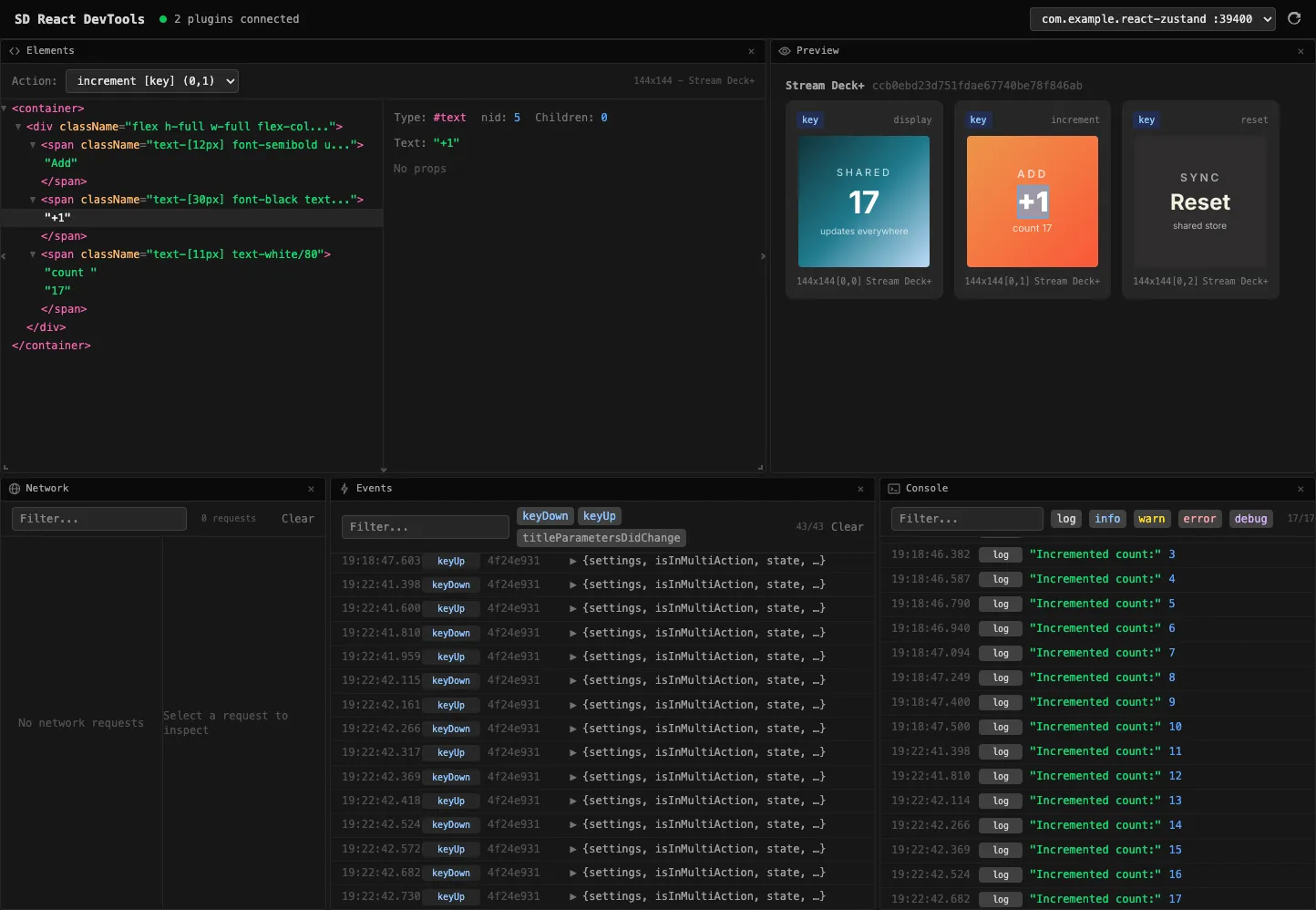
browser-based devtools inspector
Getting started
bun create streamdeck-reactThe CLI scaffolds a complete .sdPlugin project — manifest, bundler config, fonts, and a starter example. Pick from minimal, counter, Zustand, Jotai, or Pokemon (React Query) templates.
For manual setup:
bun add @fcannizzaro/streamdeck-react react